cards and invitations
Teacher Gift Card Holder Printable
Print a free teacher gift card holder for back to school or staff thank you gifts. Add a name and download a print-ready holder in the browser.
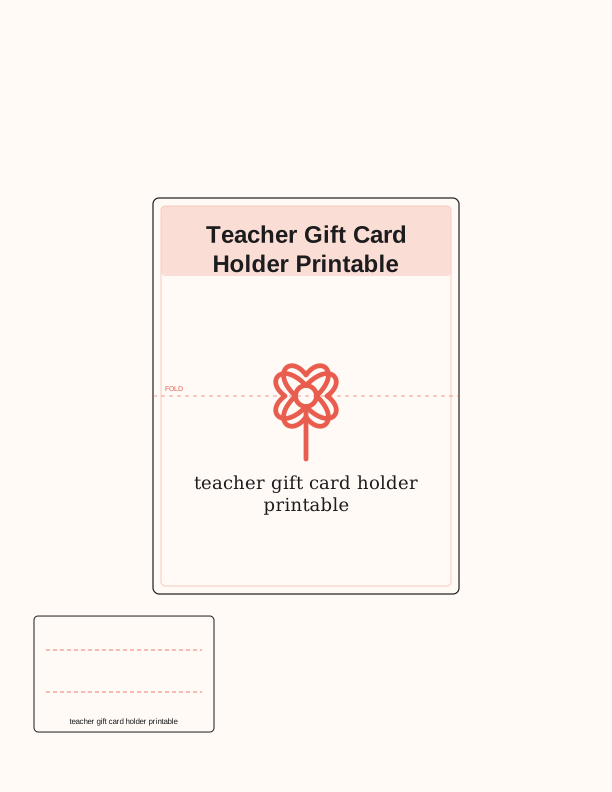
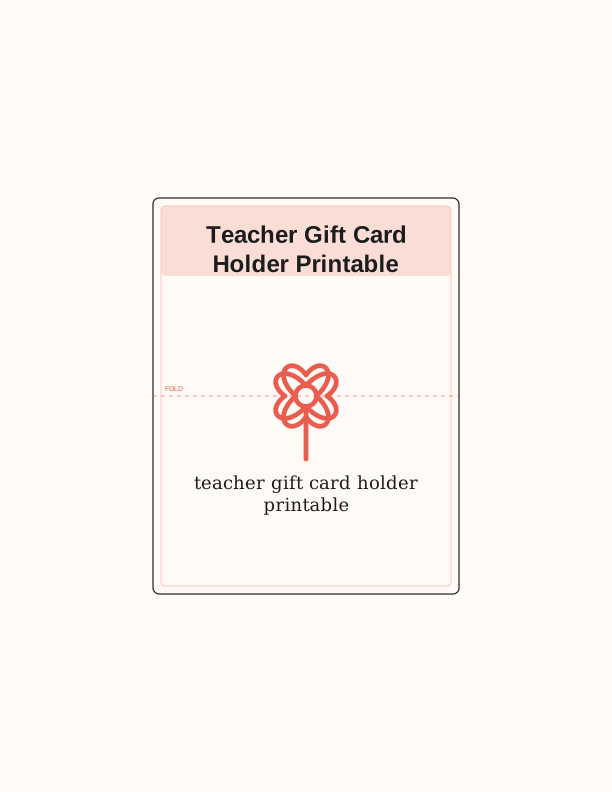
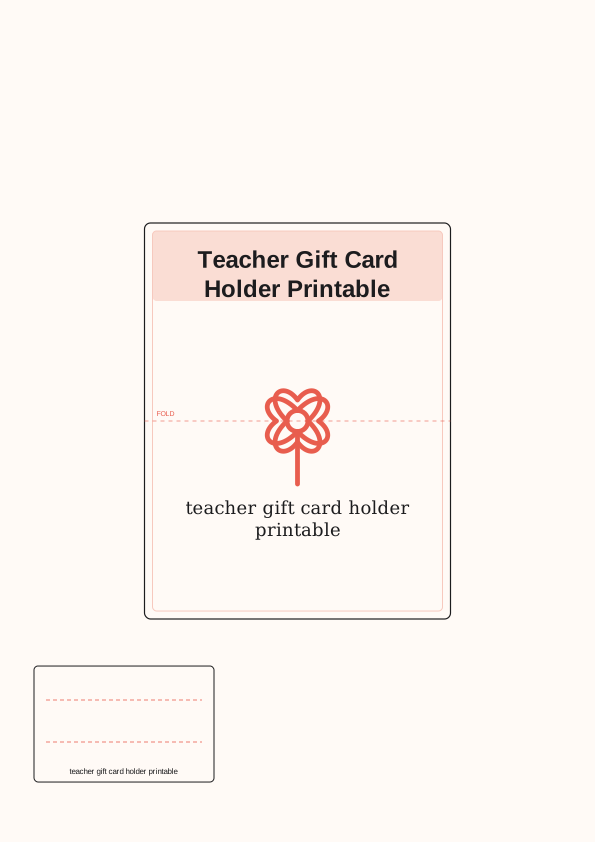
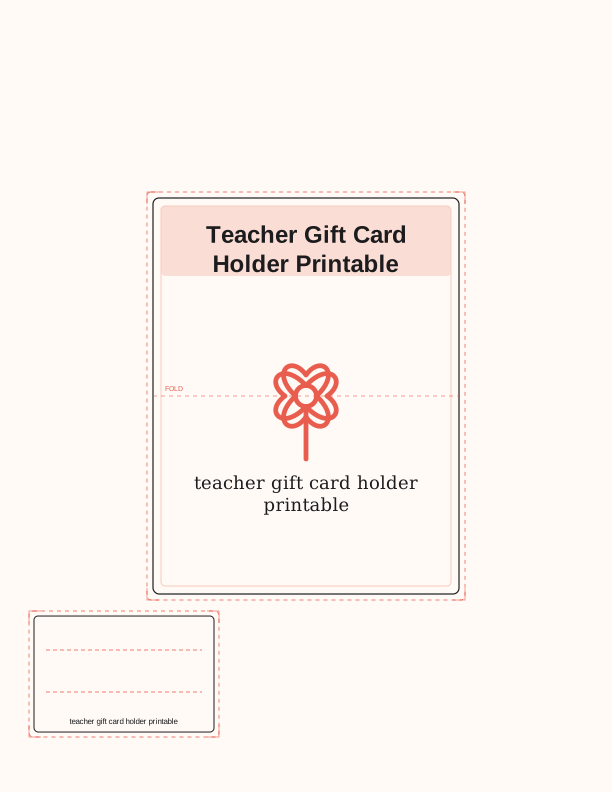
The teacher gift card holder design
This teacher gift card holder printable is a folded paper pocket built to hold a standard gift card, roughly 3.375 by 2.125 inches, with a little room to spare so the card slides in without bending a corner. The front panel carries a back-to-school or staff thank-you message, and the inside flap is left open for your own handwritten note. It suits the first week of school, teacher appreciation week, or an end-of-year send-off.
Unlike a flat card, the holder folds over the gift card so nothing shows until the teacher opens it. You can pair it with a coffee shop card, a bookstore card, or a classroom supply card, and the size stays the same either way. The layout also works for bus drivers, aides, front-office staff, and anyone else you want to thank during the school year.
Because it is a paper pocket rather than an envelope, the gift card sits snug and does not rattle around. The score line runs straight across the middle, so the fold lands cleanly even on heavier stock. Print one for a single teacher or run a sheet of several holders when you are thanking a whole grade-level team.
Folding and assembling the holder
Print the sheet, then crease along the marked fold line before you cut anything. Press the crease with a bone folder or the back of a spoon so the paper remembers the fold. Cut the outer border with scissors or a trimmer, then slice the two short slots with a craft knife on a cutting mat. A metal ruler keeps the blade steady, and a fresh blade prevents tearing cardstock.
Slide the gift card into the slots from the inside so the front of the card faces the message panel. If you prefer a looser fit, widen the slots by a hair with a second pass of the knife. Add a strip of double-sided tape along the bottom edge if you want the pocket to stay closed, or leave it open so the card can be pulled out without tearing the paper.
For a sturdier gift, mount the finished holder on a 4 by 6 inch piece of colored cardstock and round the corners. A small piece of washi tape or a paperclip holds the flap shut until it is opened. If you are assembling several at once, fold all the score lines first, then cut, then tuck the cards in — the batch goes faster that way.
Print sizes and paper tips
The holder is set up for both US Letter and A4. Choose Letter if you print on 8.5 by 11 inch paper, or A4 for 210 by 297 millimeter sheets; the artwork scales to fit the printable area and the fold line stays in the same relative spot. In your print dialog, set the scale to 100 percent or Actual Size so the pocket keeps its true dimensions.
Cardstock in the 65 to 80 lb range, about 176 to 216 gsm, gives the best result — stiff enough to hold the gift card upright and thin enough to fold without cracking. Standard 20 lb copy paper works in a pinch but the pocket feels flimsy. If you use textured or linen cardstock, score the fold line first; textured stock cracks along an unscored crease.
Set your printer to the plain-paper or cardstock setting and feed one sheet at a time if your tray tends to pull two. Matte cardstock takes pen ink better for the handwritten note; glossy stock smudges unless you use a permanent marker. A borderless print is not required, so a small white margin on the sheet is fine and easy to trim away.
Add the teacher's name
The free browser tool lets you type a name straight into the holder before you print. Enter something like Mrs. Alvarez or Mr. Chen, or use a full name and room number such as Ms. Rivera, Room 12. You can adjust the message line beneath it — swap the back-to-school wording for a thank-you line, or keep the greeting general so the same design works in May as well as August.
Type the name in the field, preview it on screen, and check the spelling before you send it to the printer. Long names shrink to fit, so a three-word name still lands inside the frame without crowding the border. If you are making holders for several teachers, print a sheet with one name, then update the field and print again; each pass takes only a moment.
If handwriting suits you better, print the holder with the message area left blank and letter the name yourself in a fine-tip pen. That is handy when you are not sure of a spelling or when a class is signing one holder together. Either way, the name sits above the pocket, so it stays visible after the gift card is tucked inside.
Free holder maker vs AI card designs
The free printable card template tool is what most people need. It runs in your browser with no account and no cost, and it lets you add a name, change the message, and print the holder as many times as you like. You get the layout shown on this page, sized for Letter and A4, ready to fold and fill. There is nothing to install and nothing to wait for.
The paid AI generator is for when you want a different look or new wording entirely. Describe the style you have in mind — a chalkboard theme, a stack of books, a simple line drawing, a specific thank-you phrase — and it builds a fresh holder design around that prompt. You spend credits per generation, so the free maker stays open if you only need the standard version with a name on it.
A practical approach is to print the free holder first and see how it looks on your cardstock. If you want something more personal for a favorite teacher, use the AI generator for a one-off design and keep the free version for the rest of the staff. Both paths print at home on the same paper, and both fold the same way.
Before you start, decide whether you want a matched set or a single standout. The free maker is quick for a whole team; the AI generator is worth the credits when one teacher deserves artwork that no one else receives. Whichever you choose, print a test copy on plain paper to check the fold before you commit your good cardstock.
Make your own with the Card and Tag Maker
The Card and Tag Maker turns your own words into a printable card or tag in a few minutes. Type a message for a birthday, thank you, or holiday, then choose a folded card, a flat card, or a gift-card holder. Pick a theme color and the tool draws a letter-size sheet with fold and cut marks. Everything is laid out on your device, so nothing is uploaded and no account is needed.
%20scale(1.5)%20translate(-50%20-50)%22%20fill%3D%22none%22%20stroke%3D%22%23e85d4e%22%20stroke-width%3D%223.2%22%20stroke-linecap%3D%22round%22%20stroke-linejoin%3D%22round%22%3E%3Ccircle%20cx%3D%2250%22%20cy%3D%2250%22%20r%3D%227%22%2F%3E%3Cpath%20d%3D%22M50%2043%20C34%2026%2022%2040%2036%2050%20C22%2060%2034%2074%2050%2057%22%2F%3E%3Cpath%20d%3D%22M50%2043%20C66%2026%2078%2040%2064%2050%20C78%2060%2066%2074%2050%2057%22%2F%3E%3Cpath%20d%3D%22M43%2050%20C26%2034%2040%2022%2050%2036%20C60%2022%2074%2034%2057%2050%22%2F%3E%3Cpath%20d%3D%22M43%2050%20C26%2066%2040%2078%2050%2064%20C60%2078%2074%2066%2057%2050%22%2F%3E%3Cpath%20d%3D%22M50%2057%20L50%2092%22%2F%3E%3C%2Fg%3E%3Ctext%20fill%3D%22%231c1c1e%22%20font-family%3D%22Georgia%2C%20'Times%20New%20Roman'%2C%20serif%22%20font-size%3D%2218%22%20text-anchor%3D%22middle%22%3E%3Ctspan%20x%3D%22306%22%20y%3D%22488.96%22%3EType%20your%20message%20and%3C%2Ftspan%3E%3Ctspan%20x%3D%22306%22%20y%3D%22510.92%22%3Echoose%20a%20card%20type.%3C%2Ftspan%3E%3C%2Ftext%3E%3Cpath%20d%3D%22M%20153%20396%20L%20459%20396%22%20stroke%3D%22%23e85d4e%22%20stroke-width%3D%220.6%22%20stroke-dasharray%3D%224%204%22%2F%3E%3Ctext%20x%3D%22165%22%20y%3D%22391%22%20font-family%3D%22Helvetica%2C%20Arial%2C%20sans-serif%22%20font-size%3D%227%22%20fill%3D%22%23e85d4e%22%3EFOLD%3C%2Ftext%3E%3Crect%20x%3D%2234%22%20y%3D%22616%22%20width%3D%22180%22%20height%3D%22116%22%20rx%3D%224%22%20fill%3D%22%23fffaf6%22%20stroke%3D%22%231c1c1e%22%20stroke-width%3D%221%22%2F%3E%3Cpath%20d%3D%22M%2046%20650%20L%20202%20650%20M%2046%20692%20L%20202%20692%22%20stroke%3D%22%23e85d4e%22%20stroke-width%3D%220.8%22%20stroke-dasharray%3D%224%203%22%2F%3E%3Ctext%20x%3D%22124%22%20y%3D%22724%22%20text-anchor%3D%22middle%22%20font-family%3D%22Helvetica%2C%20Arial%2C%20sans-serif%22%20font-size%3D%228%22%20fill%3D%22%231c1c1e%22%3EType%20your%20message%20and%20choose%20a%20card%20type.%3C%2Ftext%3E%0A%3C%2Fsvg%3E)
Exports are drawn on your device at 300 dpi on US Letter 8.5 x 11 in paper. Nothing you type is uploaded.
FAQ
These are the questions readers ask most about printing, folding, and personalizing this teacher gift card holder. If you are making holders for a full staff, start with the paper and fold guidance before you print a batch.
Is the gift card holder free?
Yes. You can design and print it in your browser at no cost.
What size gift card does it fit?
The holder is sized for a standard gift card, with a slot to tuck it in.
Can I add a note?
The free maker has editable text fields for a name and short message.
Free tool, related designs, and printing help
This design sits in a collection of 3 cards and invitations pages. Start from the Card and Tag Maker above, then browse the full cards and invitations collection when you want a matching set.
PrintJoy runs on free tools plus optional credits for AI generation. Nothing on this page needs a subscription.