Free browser tool · no account
Gift Tag Maker
Free browser-based tool to make round or rectangular gift tags with your own text. Export print-ready PDF or PNG at US Letter or A4.
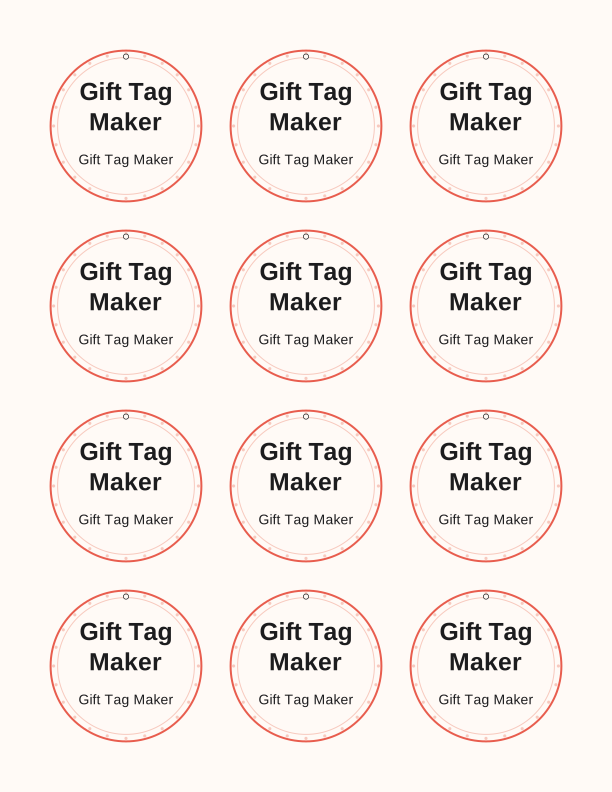
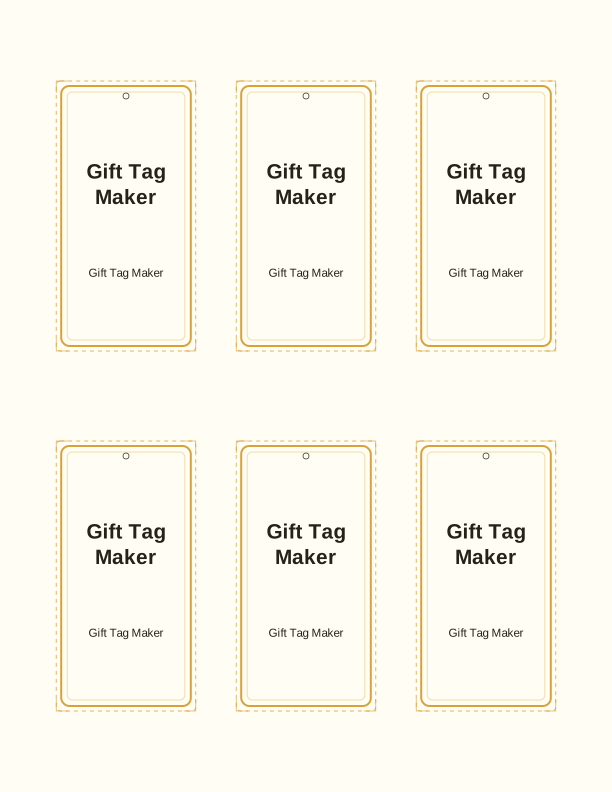
Type a headline and an optional to/from line, then choose round or rectangular tags. Round tags are 2 by 2 inches; rectangular tags are 2 by 3.5 inches. Pick a color palette, preview the layout, and the tool tiles 12 tags per sheet. Everything is drawn in your browser, so your text never leaves your device and there is no account to create.
When the preview looks right, export a print-ready PDF or PNG at 300 dpi for US Letter or A4. You can also export a single tag if you need just one. Use the gift tags collection for ready-made designs such as Have a Souper Christmas or Staff Appreciation Favor Tags, or start from scratch here and match the tags to your wrapping paper.
Use the Gift Tag Maker
- Step 1Type the headline and optional to/from line.
- Step 2Choose round or rectangular tags and a size.
- Step 3Pick a color palette and preview the sheet.
- Step 4Export PDF or PNG for Letter or A4.

Exports are drawn on your device at 300 dpi on US Letter 8.5 x 11 in paper. Nothing you type is uploaded.
What you can make and how the controls work
This gift tag maker is built for everyday tagging: birthday favors, teacher gifts, holiday parcels, staff appreciation, bake sale bags, and thank-you notes. You control four things: the headline text, the optional to/from line, the tag shape, and the palette. Round tags suit jars, bottles, and small boxes; rectangular tags give more room for longer messages. The preview updates as you type, so you can balance lines before printing.
The tool tiles 12 tags on a sheet, which is enough for a party favor set or a batch of neighbor gifts. If you need just one tag for a single present, export a single tag instead of the full sheet. No design skill is required; the layout, type size, and margins are handled for you so the tags line up when cut.
Paper, sizing and printer settings
Tags are sized at 2 by 2 inches round and 2 by 3.5 inches rectangular, and the sheet is arranged for US Letter or A4. Print at 100 percent scale, or Actual Size, and turn off Fit to Page so the dimensions stay true. Use 65 to 110 lb cardstock for a tag that holds its shape; plain paper works but curls. A slightly heavier stock also takes hole punches and string better.
Exports are PDF and PNG at 300 dpi, which is print-ready for home inkjet and laser printers as well as copy shops. For two-sided tags, print the front, reload the sheet, and print the back with the same settings. If your printer has a borderless option, tags near the edge may shift; keep the default margins and cut just inside the trim line.
Free browser tool vs paid AI generator
The free gift tag maker covers the everyday job: your text, a clean layout, two shapes, a set of palettes, and a sheet of 12 tags ready to print. Nothing is uploaded, there is no account, and there is no cost. Most gift wrapping, classroom, and office labeling needs are handled here in a couple of minutes, and you can reprint the same sheet whenever you run out.
The paid AI generator is for custom artwork. It uses credits and builds a fully custom design from a written prompt, which is useful when you want a bespoke illustration or a layout that does not match the built-in templates. Think of it as an upgrade for one-of-a-kind designs, not a replacement for the free tool. If your need is simple text on a tag, start with the free maker.
FAQ
Is my text uploaded or stored anywhere?
No. The gift tag maker runs entirely in your browser, and your headline and to/from text are drawn on your device. Nothing is sent to a server, and there is no account, so your wording stays private. Closing the page clears the current session.
Which paper size should I choose, US Letter or A4?
Pick the size that matches the paper in your printer. Both options tile 12 tags per sheet; Letter is 8.5 by 11 inches and A4 is 210 by 297 millimeters. Printing on the wrong size will shift the layout, so check your printer tray before exporting.
Can I change the text after I preview or export?
Yes. Edit the headline or to/from line at any time, and the preview updates immediately. If you already exported, change the text and export again; the new file will reflect the edit. There is no saved draft, so keep the page open until you are happy with the tags.
Designs built with this tool
Every gift tags page below can be reproduced in the Gift Tag Maker. Open one to see sizes, wording and printing notes, then bring your own text back here.
The Gift Tag Maker is free forever. Credits only apply when you ask the AI generator to draw something new.